

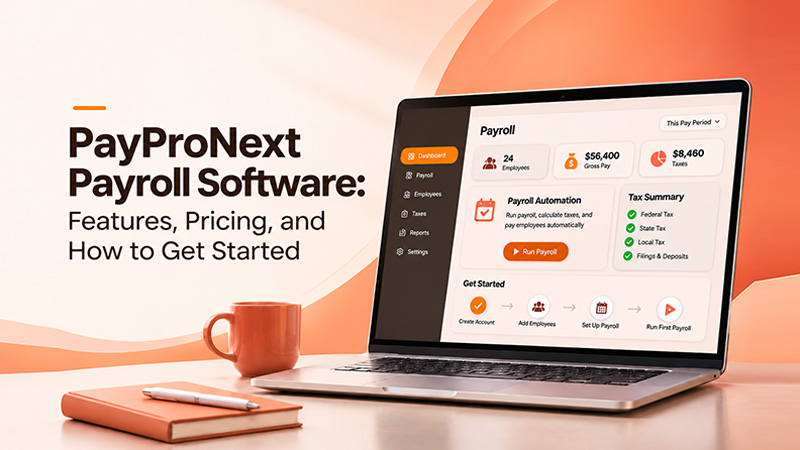
PayProNext Payroll Software: Features, Pricing, and How to Get Started
Date Released
09 November, 2026
Payroll is one of those jobs nobody notices when it goes right and everybody notices when it goes wrong. A late deposit, a miscalculated tax amount or a missing W-2 can turn into penalties and unhappy employees fast.
That is why small business owners spend real time comparing payroll tools. If PayProNext payroll software is on your shortlist, this guide covers what it does, what each plan includes, what it will actually cost you, and how to get your first payroll out the door.
What is PayProNext payroll software?
PayProNext is a cloud-based payroll platform built to help businesses pay employees and manage payroll compliance. Because it runs online, you can manage payroll from any internet-connected device, and your team can check their own pay details through an employee portal.
It is aimed at U.S. businesses that want an affordable payroll tool without a long setup process. In practice that includes:
- Small businesses with a handful of employees
- Growing companies moving away from spreadsheets
- Businesses that pay both employees and independent contractors
- Owners who want to handle payroll themselves, and those who would rather hand off tax filing and deposits
If you run a very large workforce with complex HR needs, you will want to check whether a payroll-focused product covers everything you need. For most small and mid-sized teams, a focused tool is easier to learn and cheaper to run.
PayProNext features
Here is what you get, grouped by the job each feature does.
Payroll calculations
The core of any payroll system. PayProNext calculates gross pay, deductions and net pay for each pay period, so you are not building formulas by hand. Both plans include unlimited payroll generations, which means you are not penalized for running extra or off-cycle payrolls.
Employee and contractor management
You can keep employees and contractors in one place. This matters more than it sounds. Employees and contractors are treated differently for tax purposes, and mixing them up is a common and expensive mistake. Keeping both records organized makes year-end reporting much cleaner.
Employee portals
Employees can log in to see their own payroll information, which cuts down on the "can you resend my pay stub?" messages that land in a business owner's inbox every month. Capterra's listing for PayProNext also highlights the portal as a core part of the product.
Reports and payroll records
Payroll reports and stored payroll records help with budgeting, audits and answering questions months later. When an accountant asks for last quarter's totals, you want to pull them in a few clicks, not dig through old files.
Tax filing
On the Full Service plan, PayProNext handles payroll tax filing, including W-2 and 1099 filing and tax deposits. If you have ever missed a deposit deadline, you already know why this is the feature many owners pay for.
Direct deposit
Direct deposit management is included in the Full Service plan, so employees are paid electronically and you are not cutting checks.
PayProNext payroll software pricing
Pricing is where PayProNext stands out, mainly because it is simple to read. There are two plans.
|
Plan |
Pricing |
Main inclusions |
|
Basic Payroll |
$7/month |
Payroll calculations, employee and contractor management, employee portals, reports, unlimited payroll generations |
|
Full Service Payroll |
$15/month + $1.50 per employee per payroll |
Automated processing, tax filing, W-2/1099 filing, tax deposits, direct deposit management |
Both plans include a one-month free trial, plus free setup and data migration.
Basic Payroll: $7 per month
A flat monthly fee, no matter how many people you pay. You get the calculation and record-keeping tools, but you remain responsible for filing taxes and making deposits yourself.
Full Service Payroll: $15 per month plus $1.50 per employee per payroll
This plan adds automation and takes the filing work off your plate. The per-employee fee is charged each time you run payroll, so your total depends on how often you pay people.
A quick cost example
Say you have 10 employees and pay twice a month:
- Base fee: $15
- Per-employee charges: 10 employees x $1.50 x 2 payrolls = $30
- Estimated monthly total: $45
Pay weekly instead (about four payrolls a month) and the same team comes to roughly $75. Fewer employees or fewer pay runs bring the number down.
Which plan should you choose?
Choose Basic Payroll if:
- You, or your accountant or bookkeeper, already handle tax filing and deposits
- You mostly need accurate calculations, records and a portal for employees
- You want the lowest fixed cost
Choose Full Service Payroll if:
- You want tax filing, W-2/1099 filing and deposits handled for you
- You want direct deposit managed inside the same system
- You would rather pay a bit more than risk a missed deadline
A simple way to decide: add up the time you spend each quarter on tax paperwork, then put a dollar value on that time. If the number is higher than the extra cost of Full Service, the upgrade pays for itself. And because both plans come with a free trial, you can test before committing.
How to get started with PayProNext
Setup is straightforward. Here is the usual order of things.
- Sign up. Create your account on the PayProNext website and choose your plan. You can start with the one-month free trial.
- Add your business and tax details. Enter your legal business name, address and tax information. Have your EIN and any state tax account numbers nearby so you are not hunting for them mid-setup.
- Enter employee information. Add each employee's details, pay rate, pay type (hourly or salary) and the details needed for direct deposit if you use it. Add contractors separately. If you are switching from another system, PayProNext offers free data migration, so you do not need to retype everything.
- Configure payroll. Set your pay schedule (weekly, biweekly, semi-monthly or monthly), pay dates, deductions and any other rules specific to your business.
- Run your first payroll. Review the totals before you approve them. Check hours, rates and deductions line by line on the first run. Most errors appear on the first payroll, and catching them early saves a lot of cleanup.
Practical tip: run the first payroll in parallel with your old method if you can. Compare the numbers. It takes an extra hour and gives you real confidence before you switch fully.
Is PayProNext right for your business?
It is a good fit if you want payroll that is easy to understand, priced clearly and quick to set up. It is a less obvious fit if you need a full HR suite with benefits administration, recruiting and performance tools, since PayProNext focuses on payroll.
Frequently asked questions
How much does PayProNext payroll software cost?
Basic Payroll is $7 per month. Full Service Payroll is $15 per month plus $1.50 per employee per payroll.
Does PayProNext offer a free trial?
Yes. Both plans include a one-month free trial, along with free setup and data migration.
Can PayProNext handle contractors?
Yes. Both plans include employee and contractor management, and the Full Service plan covers W-2 and 1099 filing.
Does PayProNext file payroll taxes?
Tax filing and tax deposits are part of the Full Service Payroll plan. On Basic Payroll, you handle filing yourself.
Is direct deposit included?
Direct deposit management is included in Full Service Payroll.
Ready to try PayProNext?
The fastest way to know whether it fits is to try it. Start your free trial or request a demo here: https://paypronext.com/
Have questions about which plan suits your business, or need help with setup and migration? Contact the PayProNext team and they will walk you through it.