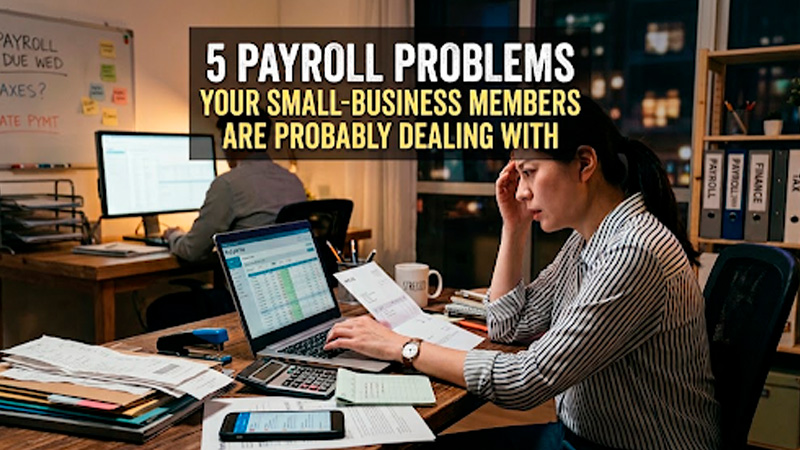
5 Payroll Problems Small Businesses Face (and How to Fix Them)
Date Released
26 August, 2026
If you run a small business in the United States, payroll probably isn’t why you started your company, but it might be what keeps you up at night. Between IRS deadlines, state tax rules, and employees who expect to get paid correctly and on time, payroll has a way of turning into a part-time job you never signed up for.
The good news: almost every payroll headache small businesses deal with falls into one of five categories, and every one of them is fixable. In this guide, we’ll walk through the most common small business payroll problems, why they happen, what they cost you if left alone, and how modern payroll software (like PayProNext) helps you avoid them altogether.
What Are the Most Common
Small Business Payroll Problems?
Most small business owners run into the same handful of payroll challenges, regardless of industry: manual calculation errors, missed tax deadlines, employee misclassification, inconsistent pay schedules, and poor recordkeeping. Each of these can lead to unhappy employees, IRS penalties, or both, which is exactly why payroll is one of the first processes growing businesses choose to automate.
Let’s break each one down.
1. Manual Payroll Calculations Lead to Costly Errors
If you’re still calculating wages, overtime, and tax withholdings by hand or in a spreadsheet, you’re not alone, but you’re also at the highest risk of making a mistake. A single misplaced decimal or an outdated tax rate can mean underpaying an employee, overpaying the IRS, or triggering a compliance flag.
According to the IRS, roughly one in three small businesses is penalized every year for payroll-related errors. Even small mistakes add up quickly once you factor in the time it takes to correct them, reissue payments, and file amended forms.
Quick fix
Automated payroll software calculates gross pay, taxes, and deductions for you, using current federal and state tax tables, so the math is done correctly the first time, every time.
2. Missing Payroll Tax
Deadlines and Filing Requirements
Between federal income tax withholding, Social Security, Medicare, FUTA, and state-specific requirements, small business owners have a lot of dates to track. Miss one, and the IRS doesn’t offer much grace, penalties start accruing almost immediately and can climb as high as 15% of the unpaid tax.
This is one of the biggest reasons payroll feels difficult for small businesses in particular: unlike larger companies, most don’t have a dedicated payroll or HR department keeping track of every filing window.
Quick fix
Look for payroll software that automatically calculates, files, and deposits your federal and state payroll taxes on your behalf. That single feature alone eliminates the deadline anxiety most owners live with every quarter.
3. Misclassifying
Employees and Independent Contractors
Worker classification is one of the most common, and most expensive, payroll mistakes small businesses make. Treating an employee as an independent contractor (or vice versa) can trigger back taxes, fines, and even lawsuits if the Department of Labor or IRS determines the classification was incorrect.
This mistake is especially common for businesses that hire freelancers, seasonal staff, or remote workers without a clear system for tracking who qualifies as what.
Quick fix
Use payroll software that separates W-2 employee and 1099 contractor workflows, prompts you for the right tax forms, and keeps documentation organized in case of an audit.
4. Inconsistent Pay
Schedules and Late Payments
Nothing erodes employee trust faster than a paycheck that’s late or inconsistent. Yet this is a common problem for small businesses juggling cash flow, multiple pay rates, or a mix of hourly and salaried staff without a centralized system.
Late or inaccurate pay isn’t just a morale issue, many states have strict wage payment laws that require on-time payment, with penalties for repeated violations.
Quick fix
Set a fixed pay schedule and automate the entire run, calculations, direct deposit, and pay stubs, so paychecks go out on time no matter how busy the week gets.
5. Poor Payroll
Recordkeeping and Data Security
The IRS requires businesses to keep employment tax records for at least four years, and many states require similar retention for wage and hour records. Storing this information across spreadsheets, email threads, and paper files makes it easy to lose documents, and exposes sensitive employee data like Social Security numbers to unnecessary risk.
Quick fix
Choose a payroll platform with secure, cloud-based recordkeeping so pay stubs, tax filings, and employee data are stored in one place, backed up automatically, and accessible whenever you (or an auditor) need them.
How Payroll Software
Solves These Problems
Once you look at the list above, a pattern emerges: almost every common payroll problem comes down to manual, disconnected processes. That’s exactly the gap payroll software is built to close. The right platform should:
- Calculate wages, taxes, and deductions automatically using up-to-date tax tables
- File and deposit federal and state payroll taxes on your behalf
- Keep W-2 employees and 1099 contractors properly classified and documented
- Run payroll on a consistent, automated schedule with direct deposit
- Store records securely in the cloud for easy access and compliance
For small business owners, this isn’t about replacing good judgment, it’s about removing the manual busywork that causes most payroll mistakes in the first place.
Why Small Businesses Choose PayProNext
PayProNext was built specifically for U.S. small businesses that want payroll to be simple, accurate, and worry-free, without the cost or complexity of enterprise payroll systems. With PayProNext, you get:
- Automatic payroll tax calculations and filings for all 50 states
- Built-in employee and contractor classification support
- On-time direct deposit, every pay period, with zero manual math
- Secure, cloud-based storage for pay stubs, tax forms, and compliance records
- U.S.-based customer support when you actually need a real answer
Instead of reacting to payroll problems after they cost you money, PayProNext helps you prevent them — so you can spend less time on spreadsheets and more time running your business.
Frequently Asked Questions About Small Business Payroll Problems
What are the most common small business payroll problems?
The most common issues are manual calculation errors, missed tax deadlines, employee misclassification, inconsistent pay schedules, and poor recordkeeping. Most of these stem from manual processes that leave little room for error.
How can small businesses
avoid payroll mistakes?
The most reliable way is to automate payroll calculations, tax filings, and recordkeeping with dedicated payroll software rather than relying on spreadsheets or manual math.
Why is payroll difficult
for small businesses?
Small businesses typically don’t have a dedicated payroll or HR team, which means one person is often responsible for tracking tax deadlines, classifications, and compliance rules on top of everything else running the business.
How can payroll software
help small businesses?
Payroll software automates the parts of payroll most prone to human error, calculations, tax filings, direct deposit, and recordkeeping, while helping small businesses stay compliant with federal and state requirements.
What causes payroll
errors?
Payroll errors are usually caused by outdated tax rates, manual data entry mistakes, misclassified workers, or a lack of a consistent, automated process for running payroll.
How can small businesses
stay payroll compliant?
Staying compliant means keeping up with changing federal and state tax rates, filing on time, correctly classifying workers, and maintaining accurate records, all of which payroll software handles automatically.
When should a small business switch to payroll software?
If you’re spending hours each pay period on manual calculations, have missed a tax deadline, or have grown past a handful of employees, it’s time to consider payroll software before a small mistake becomes an expensive one.
The Bottom Line
Payroll problems rarely show up all at once, they build up quietly until a missed deadline or a misclassified employee turns into a real cost. The good news is that every problem on this list has a straightforward fix: replace manual, disconnected processes with a payroll system built to handle them automatically.
That’s exactly what PayProNext was built to do for U.S. small businesses. Ready to stop worrying about payroll and start running it on autopilot? Get started with PayProNext today.