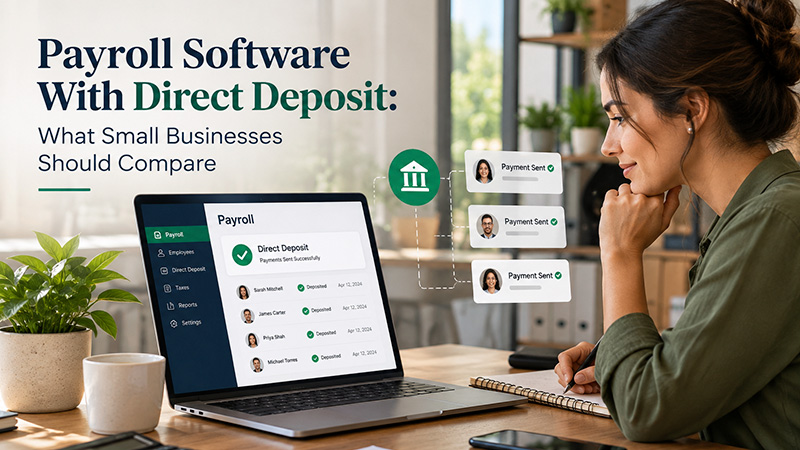
Payroll Software with Direct Deposit: What Small Businesses Should Compare
Date Released
24 September, 2026
A small-business owner shopping for payroll software sees “direct deposit” listed on the pricing page and assumes the hard part is already solved: employees type in their bank details, payroll runs, and the money shows up on payday without any further thought. That's the visible part of the process, not the whole thing. Behind it sits a chain of details that vary by provider: when payroll has to be approved, how funds actually move through the ACH network, what happens when payday lands on a holiday, and whether direct deposit and tax filing are even the same feature.
Direct deposit is genuinely useful, but the feature by itself isn't enough to judge a payroll platform on. Small businesses should compare how it works, what it costs, how quickly payroll gets processed, and what else the platform handles before assuming any two providers work the same way.
Quick Summary: What Should Small Businesses Compare in Payroll Software with
Direct Deposit?
Small
businesses comparing payroll software with direct deposit should check whether
it's included in their plan, how processing cutoffs and deadlines work, whether
fees are charged per employee or per payroll run, how employees set up their
own bank details, what security controls exist, whether tax filing is a
separate service, and whether the platform supports multiple pay schedules and
responsive customer support.
What Is Payroll Software with Direct Deposit?
Payroll software handles the math: gross wages, tax withholding, benefit deductions, garnishments, and the net amount each employee is actually owed. Direct deposit is the delivery mechanism. Instead of cutting a paper check, the provider moves that net pay electronically into each employee's checking or savings account.
Those are two separate jobs that happen to be bundled together in most modern payroll platforms. One provider can calculate payroll accurately and still handle the deposit side very differently than a competitor: different fees, different timing, different setup steps. For a first-time buyer, a useful way to think about it: payroll software figures out how much each person is owed, and direct deposit is one method, usually the main one, of getting that money into their hands.
How Does Direct Deposit Work with Payroll Software?
Step 1: Employee banking information is collected
Most platforms let employees enter their own routing and account numbers through a self-service portal rather than handing a voided check to HR. Some providers verify the account with micro-deposits or instant bank verification before the first payment goes through, which can delay an employee's very first direct deposit by a few days.
Step 2: The employer runs payroll
Hours, salaries, bonuses, and any other pay adjustments get entered or pulled in automatically, and the software calculates gross pay down to net pay after taxes and deductions.
Step 3: The employer approves payroll
This step matters more than it sounds. Every provider sets a deadline, sometimes called a cutoff, by which payroll has to be approved for a given pay date. Miss it, and the pay date can slip.
Step 4: The payroll provider initiates processing
Once approved, the provider submits the payment instructions to its bank, which sends them into the ACH network for delivery to each employee's bank.
Step 5: Employees receive funds
Actual availability depends on the provider's processing schedule, the receiving bank's own posting practices, and whether the pay date falls near a weekend or federal holiday. None of this is instant, even when the software itself feels instant.
What Should Small Businesses Compare?
1. Direct deposit availability
Confirm it's actually included in the plan being considered, not just advertised on the pricing page in general. Ask whether there's an employee limit, a setup requirement, or an added fee to turn it on.
2. Processing time
Compare standard processing windows, payroll cutoffs, and how the provider handles weekends or holidays. Don't assume every provider settles payments on the same schedule; this varies enough that it's worth asking directly rather than guessing from marketing copy.
3. Direct-deposit fees
Pricing shows up in different shapes: bundled into the base subscription, charged per employee, charged per payroll run, or billed as a separate transaction fee. None of these is automatically the best deal; it depends on headcount and pay frequency.
4. Employee setup
Look for secure self-service bank-account entry, the ability for employees to update their own information later, and some form of verification before money starts moving.
5. Tax filing
Direct deposit and tax filing are separate capabilities. A platform can offer one without necessarily including the other at every plan tier, so this needs its own line of questioning.
6. Multiple pay schedules
A business with hourly staff, salaried employees, and contractors may need weekly, biweekly, and semi-monthly schedules running at once. Not every provider supports mixing schedules within a single account, or does so without an extra charge.
7. Support
Payroll problems tend to show up at the worst possible time: a missed deadline, a failed deposit, an employee who changed banks and forgot to update it. Responsive support matters more here than in almost any other software category.
Direct Deposit vs. ACH: What's the Difference?
The ACH network is the electronic payment system that moves money between U.S. bank accounts. Direct deposit is one common use of that network, specifically, using it to deposit wages into an employee's account.
Business owners often run into the term “ACH” in payroll documentation even when all they're doing is setting up straightforward employee direct deposit, because that's the rail the payment travels on. The distinction rarely needs to be more technical than that: ACH is the highway, and payroll direct deposit is one type of vehicle using it.
How Long Does Payroll Direct Deposit Take?
Payroll direct-deposit timing depends on several moving parts: the provider's own processing schedule, ACH settlement timing, how the receiving bank posts incoming funds, the payroll approval cutoff, the pay date itself, and whether a weekend or federal holiday sits in between.
A simple example illustrates the point without promising a universal rule: if payday is Friday, a provider may require payroll to be approved several business days beforehand, depending on its processing schedule. Miss that window and the pay date can move. The exact schedule always needs to be confirmed with the specific provider being evaluated; it is not the same across the industry.
Is Direct Deposit Secure for Small Businesses?
Payroll direct deposit involves sensitive banking data, so it's reasonable to ask providers how they handle it: encryption of stored account information, role-based access so only authorized staff can view or edit details, multi-factor login, and fraud monitoring on outgoing payments.
Nacha, which governs the ACH network, has been rolling out stricter fraud-monitoring and payment-description requirements for ACH originators, pushing payroll providers generally to tighten verification. No payment system is completely risk-free, and the more useful question is what specific controls a provider has in place and how it handles credential resets and payroll review before approval.
Does Payroll Software With Direct Deposit Also File Taxes?
Not necessarily. Direct deposit and payroll tax filing are separate capabilities that happen to be sold together on many platforms. A provider might offer payroll calculation and direct deposit at one tier, while full tax calculation, filing, tax payments, and year-end W-2 or 1099 preparation are reserved for a higher-priced plan.
This is worth checking carefully rather than assuming, because a business that needs full tax-filing support could end up under-covered on a plan chosen mainly for its direct-deposit feature.
Can Payroll Software Handle Multiple Pay Schedules?
Businesses with a mix of hourly workers, salaried staff, and contractors often need more than one pay schedule at once, weekly for one group, biweekly or semi-monthly for another. It's worth verifying whether a provider supports multiple schedules inside a single account, or whether that needs a workaround or an added fee. Not every platform handles this the same way, and it's an easy detail to overlook until the first payroll run reveals the limitation.
What Should You Compare Before Choosing Direct Deposit Payroll Software?
|
Comparison Factor |
What to Look For |
Why It Matters |
|
Direct deposit |
Included and available for your plan |
Employees can receive wages electronically |
|
Processing schedule |
Clear cutoff and funding deadlines |
Helps avoid missed pay dates |
|
Fees |
Subscription, employee, payroll, or transaction fees |
Shows the real cost |
|
Employee setup |
Secure self-service bank-account setup |
Reduces administrative work |
|
Tax support |
Filing/payment capabilities |
Direct deposit does not automatically mean tax filing |
|
Pay schedules |
Multiple schedules if needed |
Supports different employee groups |
|
Security |
Access controls and account protections |
Helps protect payroll and banking information |
|
Support |
Human/customer support availability |
Useful when payroll problems occur |
How Much Does Payroll Software With Direct Deposit Cost?
Pricing for payroll software with direct deposit can include a monthly base fee, per-employee charges, per-payroll-run fees, a separate direct-deposit fee, tax-filing fees, and year-end form charges for W-2s or 1099s. The number advertised on a pricing page is often the starting point, not the total cost, once headcount and add-ons are factored in. Rather than assuming a flat number applies industry-wide, ask any small business payroll software vendor for a full breakdown before comparing direct deposit payroll software options side by side.
What PayProNext Offers
PayProNext is a U.S.-only, cloud-based payroll platform built for small businesses, HR managers, and payroll administrators, with direct deposit, automated tax calculations, and compliance reporting for both W-2 employees and 1099 contractors.
The platform is offered on tiered plans, starting at a flat monthly rate under $10 for its entry-level tier, with a more complete plan available for businesses that want fuller tax-filing support bundled in. As with any provider, the exact fees tied to direct deposit and the features included at each tier should be confirmed directly with PayProNext before signing up, since plan details can change. PayProNext isn't presented here as the only option or automatically the cheapest one; it's one platform worth including in a side-by-side comparison alongside whatever else a business is evaluating.
Frequently Asked Questions
What should payroll software with direct deposit include?
At minimum, it should clearly state whether direct deposit is included in the plan, what fees apply, how the approval cutoff works, and how employees set up and update their own bank details. Confirm these details directly with the provider rather than assuming from marketing pages.
How does direct deposit work with payroll software?
Employees enter their bank details, the employer runs and approves payroll by a set cutoff, the provider submits the payment through the ACH network, and funds arrive in each employee's account based on the provider's and bank's processing schedules.
How long does payroll direct deposit take?
It depends on the provider's cutoff schedule, ACH processing, the receiving bank, and whether weekends or federal holidays fall near the pay date. There's no universal number of days that applies to every provider, so it needs to be confirmed directly.
Is direct deposit included with payroll software?
Not automatically at every plan tier. Some providers include it standard, others limit it to certain plans or charge an additional per-employee or per-payroll fee, so this should be confirmed before choosing a plan.
Does payroll software handle ACH payments?
Most payroll direct deposits move through the ACH network, but the payroll software itself typically works with its banking partner to submit those payments rather than operating the network directly.
Can employees set up direct deposit themselves?
Many platforms offer employee self-service portals where staff can enter and update their own bank account information, often with a verification step before the first payment is deposited.
Is direct deposit secure for small businesses?
It can be, when the provider uses encryption, role-based access controls, and fraud monitoring, and when the business follows good practices like reviewing payroll before approval. No payment system eliminates all risk, so it's worth asking providers directly about their specific safeguards.
Does payroll software with direct deposit also file taxes?
Not necessarily. Direct deposit and tax filing are separate features that may be sold at different plan tiers, so a business that needs both should confirm each is included rather than assuming.
How much does direct deposit payroll software cost?
Costs vary by provider and can include a base subscription, per-employee fees, per-payroll charges, and separate direct-deposit or tax-filing fees. It's best to request a full breakdown based on actual headcount rather than relying on an advertised starting price alone.
Can payroll software handle multiple pay schedules?
Some platforms support weekly, biweekly, and semi-monthly schedules within one account; others don't, or charge extra for it. This is worth confirming directly if a business pays different employee groups on different schedules.
Conclusion
Direct deposit is a genuinely useful feature, but it isn't a stand-in for a full evaluation of a payroll platform. Small businesses are better served by comparing processing deadlines, fee structures, how employees get set up, ACH handling, security practices, whether tax filing is included, support for multiple pay schedules, and the quality of support behind all of it. Providers like PayProNext can fit into that comparison as one option among several, but the decision should come down to which platform's specific terms, not just its advertised feature list, actually match how a given business runs payroll.